Billing and plans
Review the organization’s plan, usage and billing owner.
Settings → Plan & usage shows which plan your organization is on, what you are using against it and who handles the commercial side. The console does not take payments or change plans. Those changes go through PulseHA sales or your service provider.
Before you start#
- The page needs
tenant:update. Under the built-in roles only Owner has it. - There are no payment methods, invoices or checkout steps in the console. The control plane returns a read-only summary and the billing module makes no payment-provider calls.
- Your tenant is in one of three states: not billed (a lab tenant), partner-managed, or managed directly by PulseHA. The page changes shape depending on which.
- There is no free plan. An organization that has not bought a plan yet is on a trial.
Review your plan#
- Open Settings → Plan & usage.
- Under Your plan, read the plan name and its status line.
- Note which panel you see (see the reference below). It tells you who to contact.
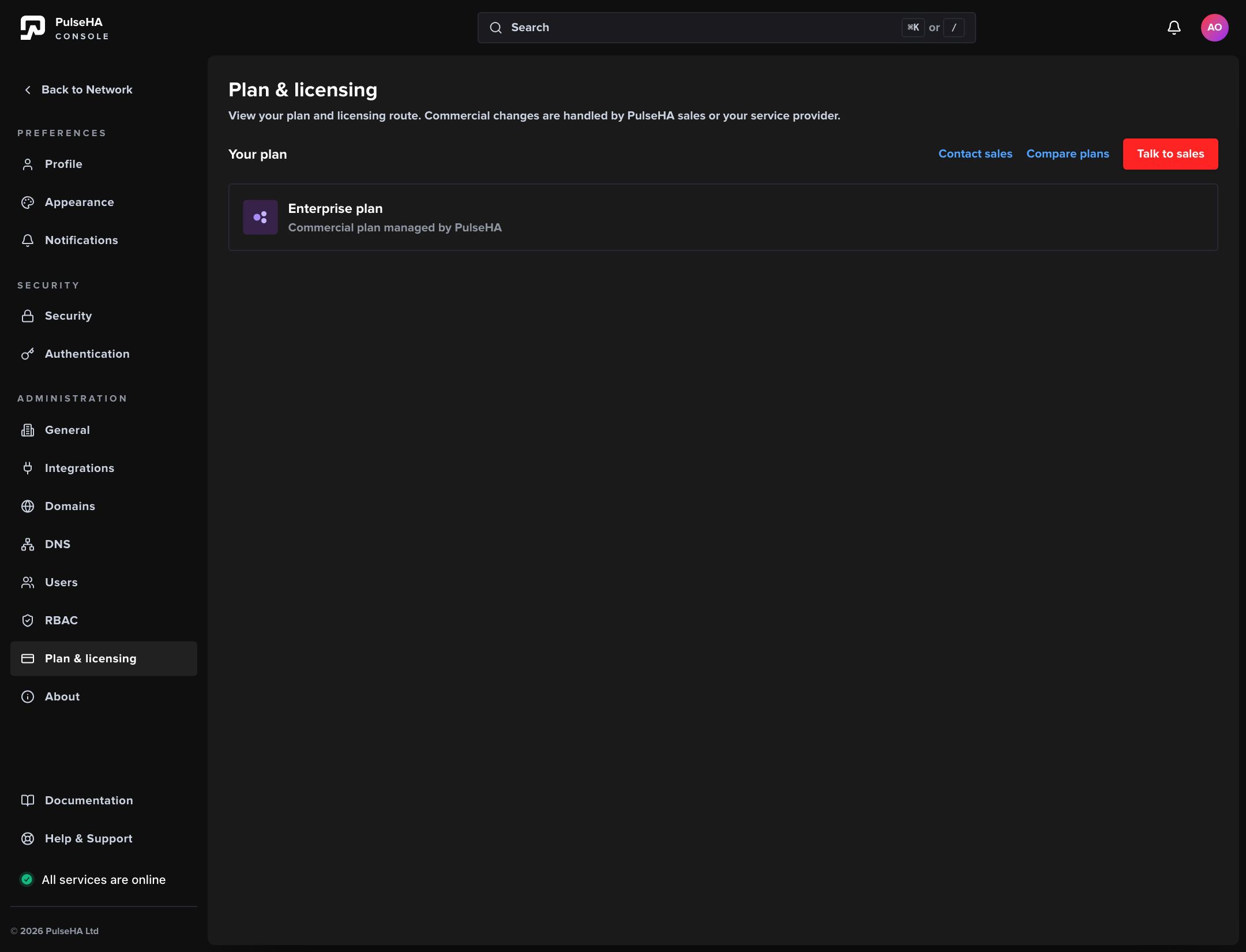
The plan card for a directly managed account.
If you see a card with Talk to sales, PulseHA manages the account directly. The status reads “Commercial plan managed by PulseHA”. During a trial the plan is shown as Trial and the status gives the date the evaluation period ends, with a prompt to contact sales.
Review your usage#
Under Usage, the page lists Users, Gateways and Services with the number in use and the plan’s allowance, for example “12 of 50”. A bar shows how much of the allowance is used. An allowance with no cap reads “Unlimited”.
If a count is above the allowance, the row turns amber and says you are over your plan allowance. Talk to sales or your service provider about a larger plan.
Lab tenants do not show usage.
Partner-managed accounts#
If a partner licenses your account, the page says “This account is managed by your service provider” and shows the partner’s name, your plan and status, and any contact details they published: an email link and a Support portal link. The status line includes the number of licensed seats when the partner has set one. To change plan, add seats or ask about invoices, contact the partner directly.
Reference#
Plan names shown in the console:
| Plan value | Displayed as |
|---|---|
core | Core plan |
business | Business plan |
enterprise | Enterprise plan |
custom | Custom plan |
A directly managed organization whose status is trial shows Trial in place of the plan name.
Plan allowances:
| Core | Business | Enterprise | |
|---|---|---|---|
| Users | 50 | 250 | Unlimited |
| Gateways | 5 | Unlimited | Unlimited |
| Services | 25 | Unlimited | Unlimited |
Page states:
| State | What you see | Who to contact |
|---|---|---|
| Not billed | A panel headed NFR marked not billed. “This account is not billed.” | Your PulseHA contact, for a commercial tenant. |
| Partner-managed | Partner name, plan and status, optional email and Support portal links, then Usage. | The partner. |
| Direct | Your plan card with Talk to sales, then Usage. | PulseHA sales. |
See pricing for what each plan includes.
Troubleshooting#
- Plan & usage is missing from the sidebar. Your role lacks
tenant:update. Only owners see it under the built-in roles. - The page shows a partner instead of PulseHA. The tenant has a partner on record. The console deliberately hides PulseHA’s direct sales surface for these accounts. Contact the partner shown.
- The partner is shown as “your service provider” with no contact details. The control plane could not load the partner’s profile. Ask your PulseHA contact to confirm the partner record.
- The plan says Trial. The tenant status is
trial. Contact sales before the evaluation period ends to keep the organization running. - There is no Usage section. The control plane could not count usage, or the tenant is a lab. Reload the page; if it stays missing on a billed tenant, raise a ticket.
- You expected invoices or a payment method. The console has none. Request invoices from PulseHA sales or your partner.
- The plan looks wrong. The plan comes from the control plane’s tenant record. A tenant with no plan on record displays as Core plan. Raise a ticket under Billing & Account with your Tenant ID.