Network overview
Check network health, recent activity, and the next setup action.
Use Overview to confirm that gateways, devices, services, and access decisions are current before changing policy.
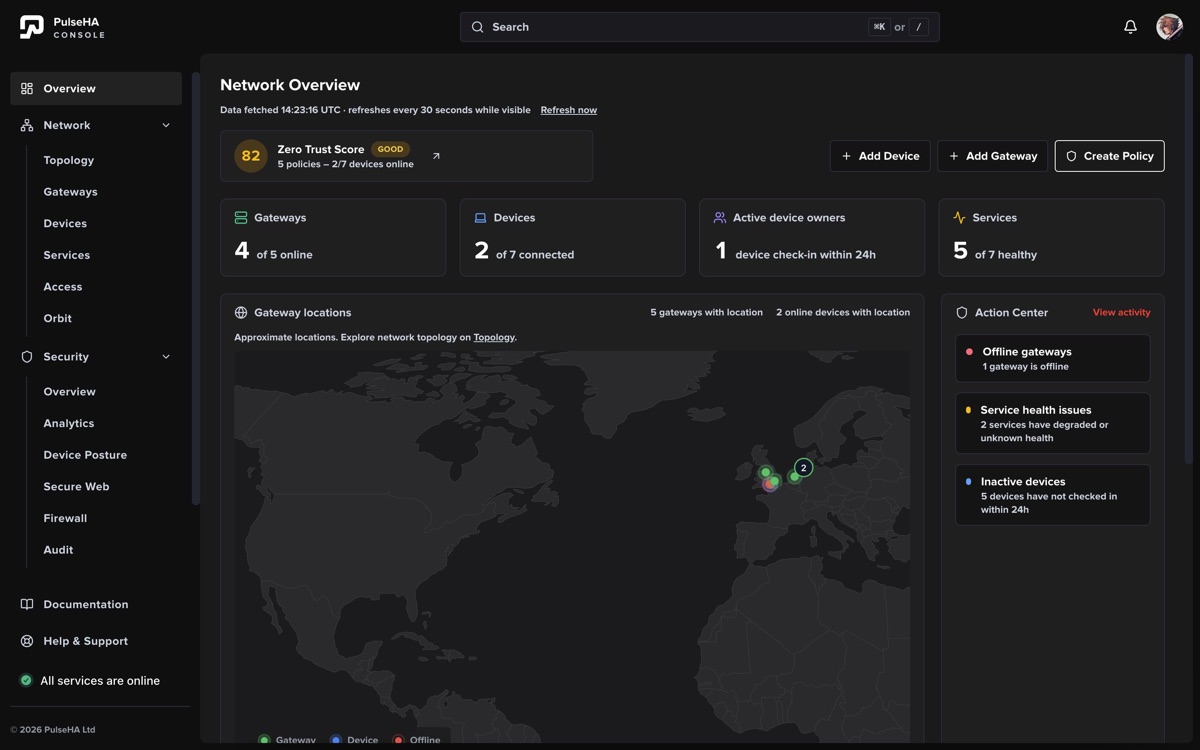
The overview keeps inventory health, gateway locations, and operational follow-up in one frame.
Read the overview#
- Check gateway and device counts. Active device owners counts distinct owners whose devices checked in during the last 24 hours.
- Review Gateway locations. Only gateways with usable location data appear; clustered markers can represent several gateways.
- Check service health and recent devices. A stale health sample is not current evidence, and Unavailable means the console could not retrieve that dataset.
- Work through Action Center for offline or degraded gateways, unhealthy services, inactive devices, elevated denials, or missing access policy.
The page refreshes periodically and when the window regains focus. A partial-data warning means visible totals may be incomplete; retry before treating them as authoritative.
Finish setup#
The checklist leads through connecting a gateway, enrolling a device, publishing a service, and creating access. Steps and actions are hidden or disabled when your role cannot perform them. A locked step may also require the previous resource, such as a gateway before a service.